

Contractor Lic. No. 940822 | Security Lic. No. ACO1290
© Copyright 2026 SEBASTIAN. All rights reserved.
Quick Takeaway Primary Insight: A video wall succeeds or fails on the planning behind it (viewing distance, display type, the structure behind the screens, and how content is controlled), not only on the screens themselves.
Key Fact: Viewing distance comes first in choosing an LED video wall: a finer pixel pitch lets viewers stand closer, and cost rises as the pitch gets finer.
Best Suited For: Businesses planning a lobby display, an operations or monitoring room, or a presentation space.
A video wall looks simple in a showroom: screens joined together to make one large image. In a real building it is a small construction project. The wall needs a structure to hang on, power and cooling behind it, a way to feed it content, and a plan for servicing it years later. Video wall installation goes well when those pieces are decided before the screens are ordered.
The same planning decides whether the wall is worth building. A wall in the wrong place, at the wrong size for its viewers, or with content nobody can update becomes an expensive blank screen within a year.
This guide covers where video walls work, how LCD and LED walls differ, what has to exist behind the wall, how content is controlled, and how an installation runs from design to training.
Video walls work best where many people need to see large, bright content from a distance, and where one screen is too small to do the job. Three kinds of space account for most commercial walls.
| Space | What the wall does | Planning priority |
|---|---|---|
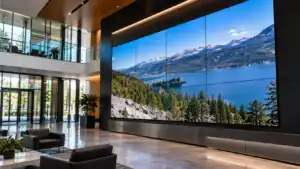
| Lobbies and common areas | Welcomes visitors, shows branding, and displays announcements or digital signage | Appearance from the entrance, brightness near windows, content that staff can change |
| Operations and monitoring rooms | Shows several sources at once, such as dashboards, cameras, or schedules | Layouts that can change, reliability, viewing angles for people seated at desks |
| Event and presentation spaces | Gives a large audience one shared image | Size and placement for the farthest viewer, switching between sources |
Sebastian’s commercial A/V systems page lists lobbies and common areas (digital signage, video walls, and background audio) and event and multipurpose spaces among the spaces it serves. The table is general planning guidance; each room’s size, lighting, and audience change the answer.
At Agrian, Sebastian installed multiple video walls, created by joining multiple screens together, as part of a larger office technology project that also included a VoIP phone system, wireless access points, access control, alarms, and a built-out IT room. The project is also listed on Sebastian’s agriculture page.
LCD video walls join individual flat panels, while direct-view LED walls assemble modules of LEDs into a continuous surface, and the choice affects seams, viewing distance, and budget. The table compares the two on the points that matter most in an installation.
| Factor | LCD video wall | Direct-view LED wall |
|---|---|---|
| Construction | Individual display panels mounted side by side | Cabinets or modules joined into one surface |
| Seams | Visible bezels between panels, though narrow-bezel panels reduce them | No panel bezels, though seams between modules still need careful alignment |
| Viewing distance | Image sharpness set by each panel’s resolution | Set by pixel pitch: finer pitch allows closer viewing |
| Typical fit | Lobbies, control rooms, and spaces where viewers are fairly close | Large walls, event spaces, and spaces where size matters most |
Pixel pitch is the key term for LED walls. According to AVIXA, it is the spacing between the centers of two adjacent LED pixels, measured in millimeters. Viewing distance comes first: a finer pitch allows viewers to stand closer, a coarser pitch requires them to stand farther back, and cost rises as the pitch shrinks. The practical rule is to select the finest pitch the application and viewing distance require, not the finest pitch available.
Neither technology is better in every case. A lobby wall viewed from a few feet away favors a fine pitch or an LCD wall, while a large event space where viewers stand far back tolerates a coarser pitch. A designer should start from where people will actually stand.
A video wall needs more behind it than most buyers expect, because the structure, power, cooling, and access determine how well the wall performs and how easily it is serviced. These items need decisions before the wall is built.
Sebastian’s A/V page says the same team that designs a system handles the cabling and mounting, which keeps the design and the installation connected. For background on how data cabling is organized, see the structured cabling overview.
A video wall controller takes one or more sources and splits them across the screens, so the control layer decides what the wall can show. Sources can include a computer, a camera feed, a presentation, or a digital signage player, and the controller arranges them into one large image or several smaller windows.
Layouts should be planned with the people who will use them. An operations room may need a fixed layout of several windows, while a lobby needs a schedule that rotates content and a simple way for staff to change it. A wall that only a specialist can update tends to display the same content for months.
Control is part of the installation, not an add-on. Sebastian’s A/V page lists control system programming and network integration under system integration, along with maintenance and support after installation. At the Heritage Center in Clovis, Sebastian installed multiple laser projectors and screens along with A/V controls for switching between exhibit, presentation, and event setups, which shows how control ties display equipment to the way a space is used.
A video wall installation runs in stages, from design through training, and each stage has a deliverable the buyer can review. Sebastian’s A/V page describes the stages as follows.
Buyers comparing providers should ask for each stage in writing, especially who handles the structure behind the wall and who answers the call when a screen fails.
A video wall is a large display made by joining multiple screens or LED modules so they show one image or several separate images. The screens work together under a controller that splits the content across them.
The difference between an LCD video wall and an LED video wall is how the surface is built. An LCD wall mounts individual panels side by side and shows seams between them, while a direct-view LED wall joins modules into a continuous surface whose sharpness depends on pixel pitch.
Viewers can stand closer to an LED video wall as its pixel pitch gets finer. AVIXA describes pixel pitch as the spacing between adjacent LED pixels and advises selecting the finest pitch the application and viewing distance require, since cost rises as pitch shrinks.
A video wall installation includes the design, the displays, the mounting structure, power and signal cabling, the controller and its programming, and training for the people who use it. A full installation also covers maintenance and support after the wall is running.
A video wall needs a strong mounting structure, adequate power, ventilation for heat, a cable path from its sources, and access for servicing individual screens. Planning these items before construction avoids opening finished walls to add them later.
A video wall earns its cost when it was designed for the room, the viewers, and the people who will update it. Choosing the display type from the viewing distance, building the structure and power behind it, and planning how content is controlled are what keep the wall useful after the first month.
Sebastian’s commercial A/V team designs, installs, and supports video walls and other displays for offices and venues in Fresno and the Central Valley. If you are planning a lobby, operations room, or presentation space, you can request a proposal or call (877) 253-7835.

Contractor Lic. No. 940822 | Security Lic. No. ACO1290